
Notice for new students #
Many university services (email, e-learning, WiFi, etc.) will not be accessible until a new password is set. The password can be defined by accessing Identity with the assigned Alice credentials, or by using the password recovery procedure and indicating the private email registered in the Alice portal.
Students and PhD candidates have an online Exchange mailbox which they access using their email address as the username credential@studenti.unipi.it.
PhD candidates also receive emails sent to their institutional email address name.surname@phd.unipi.it in this mailbox. The latter address is typically used as the sender.
Access to the mailbox #
Access at https://outlook.com/
In the following screen, enter your university credentials (the ones used to access the Alice portal) followed by @studenti.unipi.it.

You will be redirected to the university credentials portal where you can log in with your credentials (without adding @studenti.unipi.it) as shown in the figure.
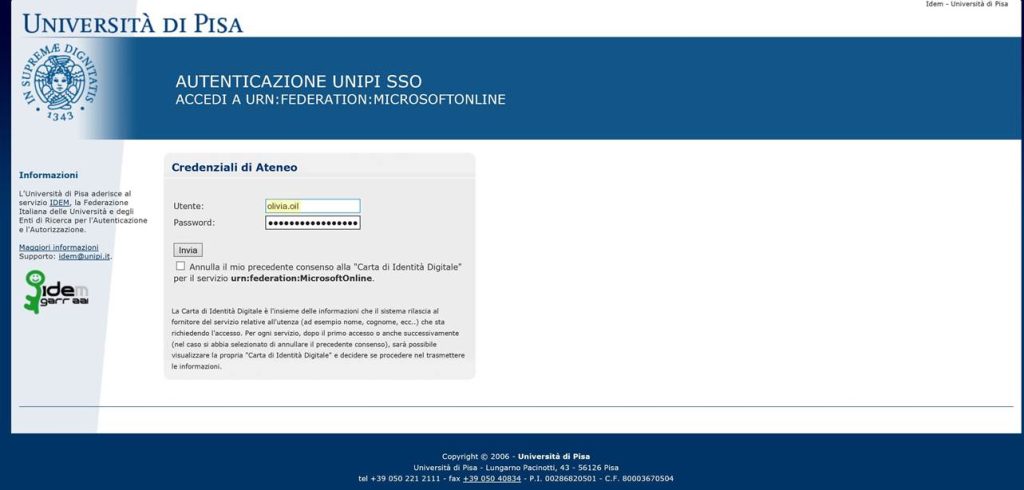
The mailbox hosts 20GB of email storage.
Configure email clients on mobile devices #
Email clients that support Office365 allow the configuration of the email account on your tablet or mobile phone.
The Outlook app available on all mobile and desktop devices works with the system.
The IMAP and POP3 protocols will be available soon. Currently, they cannot operate because they do not support federated authentication (the redirection to the university credentials page).
Forwarding Mail #
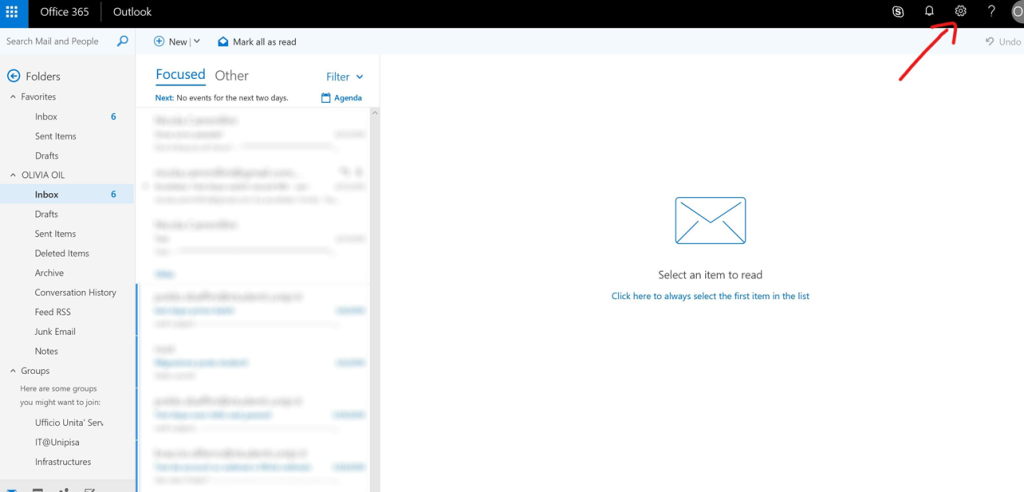
To forward mail to another email address, simply open the settings as shown in the figure:
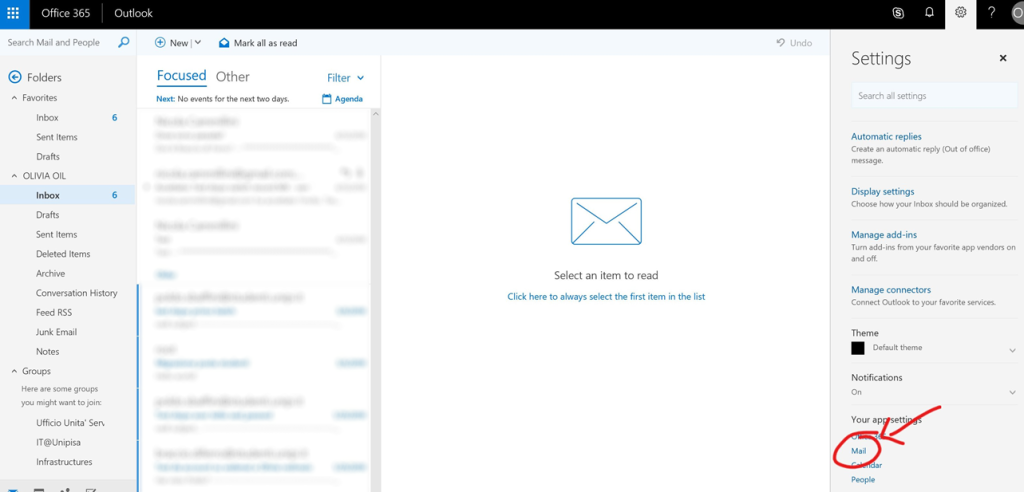
Select the mail settings “Mail”:
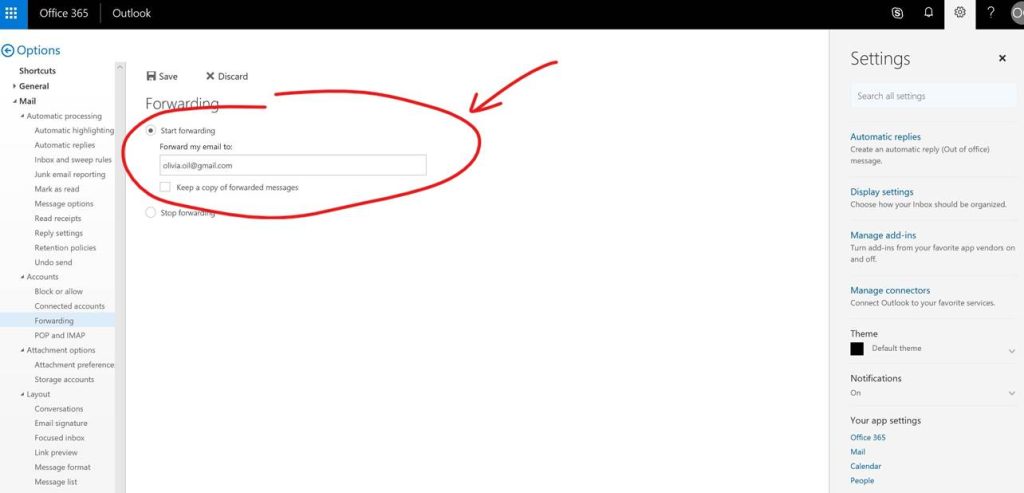
In the email settings, locate the option “Forwarding”:
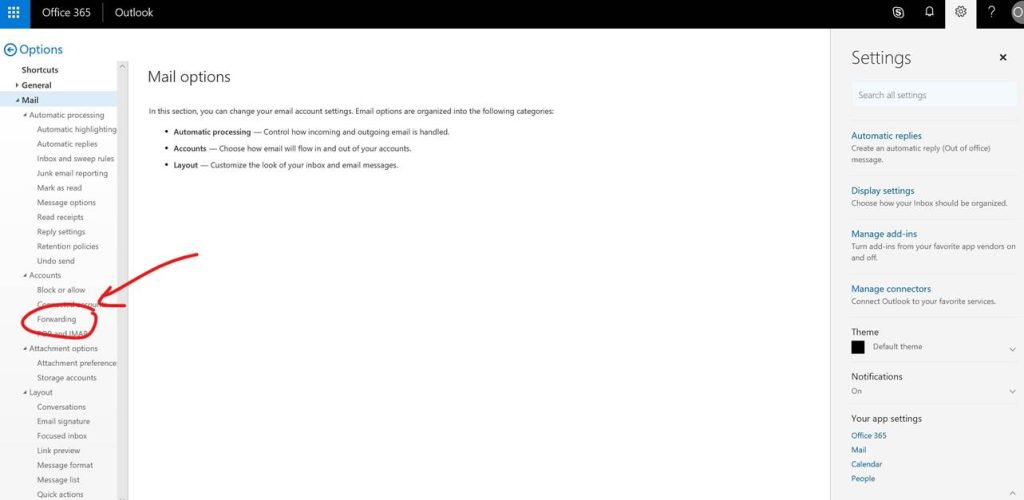
You can forward received mail to another address and decide whether to keep a local copy or not.
Email Sending Limits #
Sending to internal recipients
Maximum 500 recipients/hour
Sending to external recipients
Maximum 500 recipients/hour
Daily overall limit
Maximum 1000 recipients/day
Exceeding limits
If the thresholds are exceeded, the user is temporarily disabled from sending emails.
Unlocking can only be performed by the service administrators; therefore, it is necessary to contact your reference hub, which will request the unlock.